


WordPress 建站
一、安装前准备
系统:Ubuntu
mysql 安装:http://8.137.94.77:7090/archives/ubuntu-mysqlan-zhuang
创建wordpress 数据库
CREATE DATABASE wordpress;nginx 安装:http://8.137.94.77:7090/archives/nginx-ubuntu-zheng-xiang-dai-li
php安装:
#apt 安装
sudo apt install php-fpm php-mysql php-curl php-gd php-mbstring php-xml php-json -y
#检测版本
php -v php配置修改:
上传文件大小修改,默认只支持2M , 修改为10M ,wordpress主题时上传文件大小限制
文件位置:/etc/php/8.3/fpm/pip.ini
upload_max_filesize = 10M
post_max_size = 20M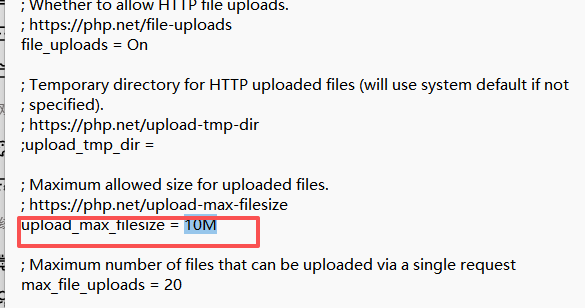
二、下载wordpress
wordpress官网 :https://cn.wordpress.org/
上传到服务器中解压(对应目录下解压)
#解压命令
unzip wordpress-7.0-zh_CN.zip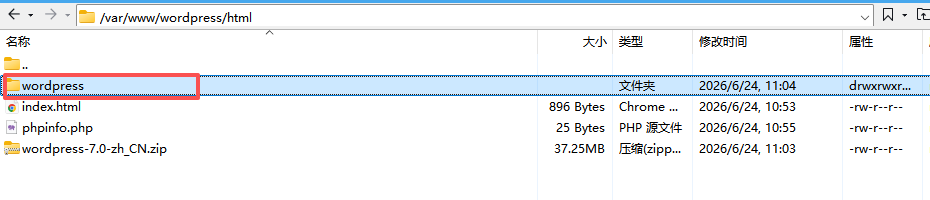
配置wordpress
复制解压目录下的wp-config-sample.php 重命名为wp-config.php (cp 命令)
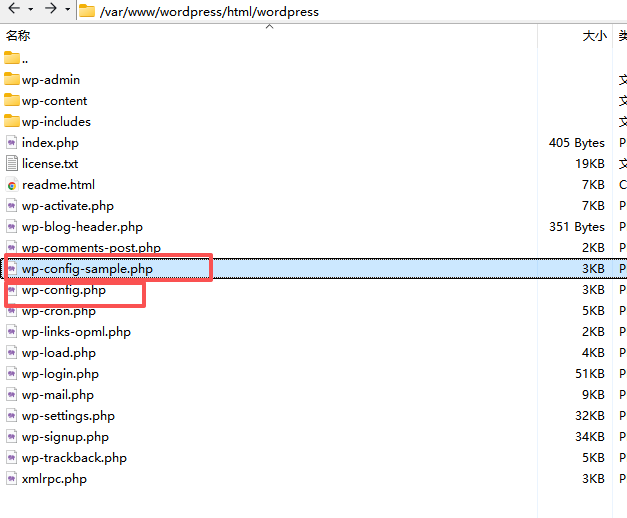
编辑wp-config.php文件,配置wordpress数据库 填写mysql的数据库名、账号、密码等
// ** Database settings - You can get this info from your web host ** //
/** The name of the database for WordPress */
define( 'DB_NAME', 'database_name_here' );

/** Database username */
define( 'DB_USER', 'username_here' );

/** Database password */
define( 'DB_PASSWORD', 'password_here' );

/** Database hostname */
define( 'DB_HOST', 'localhost' );

/** Database charset to use in creating database tables. */
define( 'DB_CHARSET', 'utf8mb4' );

/** The database collate type. Don't change this if in doubt. */
define( 'DB_COLLATE', '' );
nginx配置
server {
        listen 80 default_server;
        listen [::]:80 default_server;

        root /var/www/wordpress/html/wordpress;

        # Add index.php to the list if you are using PHP
        index index.php index.html index.htm index.nginx-debian.html;

        server_name _;

        location / {
                # First attempt to serve request as file, then
                # as directory, then fall back to displaying a 404.

                try_files $uri $uri/ =404;
        }
	location /wordpress {
            try_files $uri $uri/ /wordpress/index.php?$args;
	}

        # pass PHP scripts to FastCGI server
        #
        location ~ \.php$ {
                fastcgi_pass unix:/var/run/php/php-fpm.sock; # 若用 TCP 则改为 127.0.0.1:9000
        	fastcgi_index index.php;
        	fastcgi_param SCRIPT_FILENAME $document_root$fastcgi_script_name;
        	include fastcgi_params;
        }
}
到这里就可以访问wordpress 进行初始化配置 填写相关信息就能访问
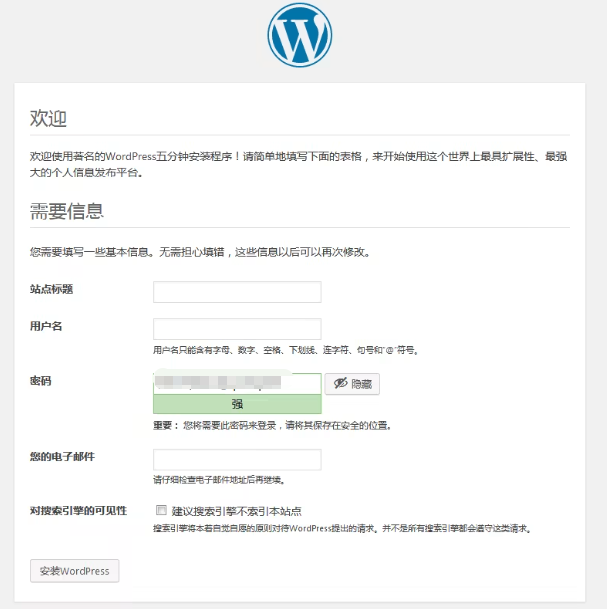
后台访问地址http://ip/wp-login.php